
Made in America
Get Connected With

Opening Hours M-F: 07:00 AM to 4:00 PM (PST)




Email Us
sale@abrvpartsacc.com
Call Us
+1 (626) 448-2100Made in America
Get Connected With
Opening Hours M-F: 07:00 AM to 4:00 PM (PST)
Choosing an Android Rugged Tablet PC for global operations requires more than comparing screen size and processor speed. Buyers must examine durability, software support, battery performance, and regional compliance. A tablet used on a construction site faces dust, rain, vibration, gloves, and accidental drops. A warehouse model faces barcode scanning, cold storage, and long shifts away from power outlets.
Real-world testing should guide the decision. Check the IP rating, drop-test evidence, operating temperature range, charging design, and connector protection. Ask suppliers for clear test reports, warranty terms, spare-parts availability, and firmware update policies. Some devices appear rugged but provide limited Android support. That weakness can create security and compatibility problems later.
Global purchasing adds another layer. Confirm cellular bands, Wi-Fi standards, language options, Google service availability, and charger specifications for each target market. Also review battery transport requirements and local certification needs before placing a large order. Vendor experience matters, but impressive claims still need verification.
Not every buyer needs the most powerful tablet. A logistics team may value scan accuracy and dock compatibility more than a high-resolution camera. Field technicians may prioritize sunlight readability and replaceable batteries. Healthcare users may require easy cleaning and reliable wireless connections. These needs often conflict.
There is no universal winner. This guide compares leading Android rugged tablet options through practical criteria, including durability, performance, connectivity, lifecycle support, and total ownership cost. Some product information may change as manufacturers revise hardware or Android versions. Recheck official specifications before purchase. Reliable decisions come from testing the device in the environment where it will actually work.
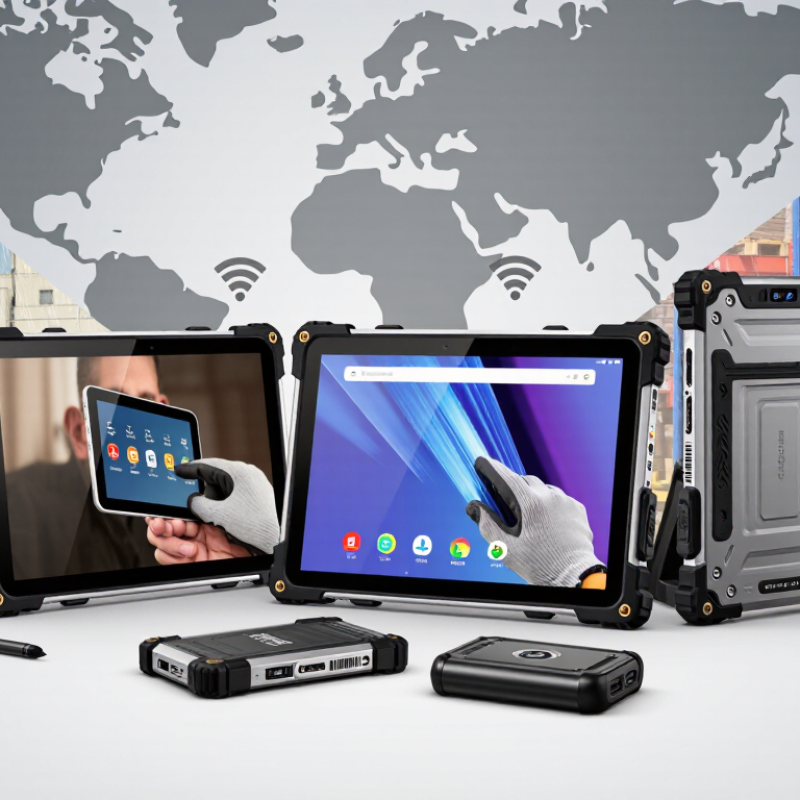
What defines an Android rugged tablet PC is more than a thick rubber shell. It must survive repeated drops, vibration, dust, water, and temperature changes. IEC 60529 ratings classify ingress protection, while MIL-STD-810H testing examines shocks, humidity, altitude, and thermal stress. These standards do not guarantee every field outcome. Test conditions can still differ from real work.
In warehouses, a reliable tablet should remain readable under harsh lighting and usable with gloves or wet fingers. A reinforced frame, sealed ports, raised screen edges, and a replaceable battery reduce practical downtime. Battery performance matters during long inspections, deliveries, and outdoor maintenance. According to MarketsandMarkets, the rugged devices market was projected to grow from about 3.2 billion US dollars in 2023 to 4.7 billion by 2028. However, market estimates vary because researchers define “rugged” differently.
Android also brings important software requirements. Regular security updates, controlled app permissions, device encryption, and remote management support safer deployment across many locations. Industry research from IDC continues to link mobile technology investment with improved frontline productivity, although results depend on training and workflow design. A tablet can be technically strong yet poorly suited to a noisy factory. That is an easy mistake. Global buyers should inspect drop-test evidence, repair policies, accessory compatibility, and update commitments before trusting a specification sheet.
| Evaluation Dimension | Recommended Buyer Benchmark | Why It Matters | Typical Application |
|---|---|---|---|
| Operating System | Android 13 or later, with a documented security-update policy | Newer Android releases generally provide stronger privacy controls, application compatibility, and enterprise-management support. | Warehouse software, field-service applications, digital forms, and mobile data collection |
| Ingress Protection | IP65 minimum; IP66 or IP67 for heavy outdoor exposure | The IP rating describes protection against dust and water under defined laboratory conditions. IP67 also includes temporary immersion testing. | Construction sites, logistics yards, utilities, agriculture, and public safety |
| Drop Resistance | At least 1.2 m onto concrete, tested with the tablet powered on and protected by its supplied enclosure | A verified drop test helps reduce damage from accidental falls during transport and daily handling. | Inventory counting, vehicle inspections, maintenance, and delivery operations |
| Military-Standard Testing | A test report referencing applicable MIL-STD-810H methods | MIL-STD-810H is a collection of environmental test methods, not a blanket durability certification. Buyers should review the exact methods and conditions. | Vibration, shock, humidity, altitude, temperature, and transport-intensive environments |
| Display Size and Brightness | 8–10.5 inches; approximately 500–1,000 nits for outdoor work | A larger display improves readability and data entry, while higher brightness improves visibility in daylight. Actual outdoor performance also depends on reflections and coating. | Maps, barcode workflows, technical drawings, inspection checklists, and route planning |
| Touchscreen Usability | Glove mode, wet-touch support, and a scratch-resistant cover glass | Workers may operate the tablet with gloves, moisture, or limited precision in industrial conditions. | Cold-weather work, food processing, outdoor repair, and medical logistics |
| Processor and Memory | An octa-core processor with 6–8 GB RAM and at least 64 GB storage | Adequate memory supports navigation, scanning, video, and multiple business applications without excessive reloads. | Multi-application field work, remote assistance, reporting, and media capture |
| Battery Capacity | Approximately 7,000–10,000 mAh, with replaceable or hot-swappable options for long shifts | Battery life varies significantly with brightness, cellular use, GPS, scanning, and application workload. Replaceability can reduce downtime. | Extended shifts, remote locations, delivery routes, and emergency response |
| Wireless Connectivity | Wi-Fi 5 or Wi-Fi 6, Bluetooth 5 or later, optional 4G LTE or 5G, and multi-constellation GNSS | Connectivity requirements differ by region and workflow. Cellular band compatibility must be checked for the destination country. | Fleet tracking, mobile point of service, asset management, and geolocation |
| Expansion and Interfaces | USB-C, optional USB-A, microSD expansion, audio, docking contacts, and configurable serial or Ethernet accessories | Physical interfaces allow integration with scanners, printers, diagnostic tools, docks, and legacy equipment. | Industrial control, point-of-sale, equipment diagnostics, and warehouse integration |
| Data Capture | Integrated 1D/2D barcode scanning, NFC, a rear camera, and optional front camera | Integrated capture tools can improve workflow speed and reduce the need to carry separate devices. | Stock control, parcel handling, identity checks, proof of delivery, and inspections |
| Security and Device Management | Android Enterprise support, encryption, secure boot, kiosk mode, remote locking, and mobile-device-management compatibility | Centralized policies help protect business data and simplify deployment across multiple countries and sites. | Corporate fleets, regulated industries, shared devices, and customer-facing terminals |
| Operating Temperature | A documented operating range of approximately −20°C to 55°C, subject to configuration | Temperature specifications help buyers match the device to climate, storage, charging, and workload conditions. | Cold-chain logistics, outdoor infrastructure, factories, and desert environments |
| Ergonomics and Mounting | Textured grip, programmable keys, hand strap, vehicle dock, and optional shoulder or belt accessories | A rugged enclosure must also be practical to carry, operate, and mount during repetitive work. | Forklift operation, vehicle maintenance, patrols, and mobile service teams |
| Global Purchasing Factors | Regional cellular bands, local certifications, multilingual support, spare parts, warranty terms, and long-term availability | A technically suitable tablet may still be unsuitable if it lacks required radio approvals, service coverage, or replacement components in the target market. | International rollouts, distributed workforces, public-sector procurement, and multinational operations |
Buyer note: Specifications should be verified against the manufacturer’s current datasheet, test reports, regional certifications, cellular-band list, and warranty conditions before purchase.