
Made in America
Get Connected With



Choosing the right Industrial Panel Pc begins with the real conditions on your factory floor. Dust, vibration, heat, moisture, and constant operator contact can quickly expose a weak design. A bright office display may fail beside a cutting machine. A sealed enclosure may survive better.
Dick Morley, widely recognized as the father of the programmable logic controller, said, “The PLC is a computer designed for industry.” His observation still matters. An Industrial Panel Pc should be selected as an industrial tool, not as a repackaged consumer computer. Check its processor, operating system, cooling method, mounting structure, and expected service life. Also examine the screen closely. Gloves, oil residue, and reflected light can make a beautiful interface frustrating to use.
Start with the process.
A practical evaluation connects specifications with daily work. A food-processing line may need stainless steel construction and careful ingress protection. A warehouse terminal may value sunlight readability, barcode connectivity, and wide temperature support. For a control cabinet, fanless operation can reduce dust intake, although passive cooling may limit peak performance. This trade-off is easy to overlook.
There is no perfect model. I have seen buyers overvalue processing speed while ignoring cable access and replacement time. That is an expensive mistake. Consider Ethernet, serial ports, USB connections, wireless options, and remote management before approval. Ask how the unit will be repaired after five years, not only how it performs today. A reliable Industrial Panel Pc should fit the environment, the operators, and the maintenance plan. Specifications matter. Context matters more.
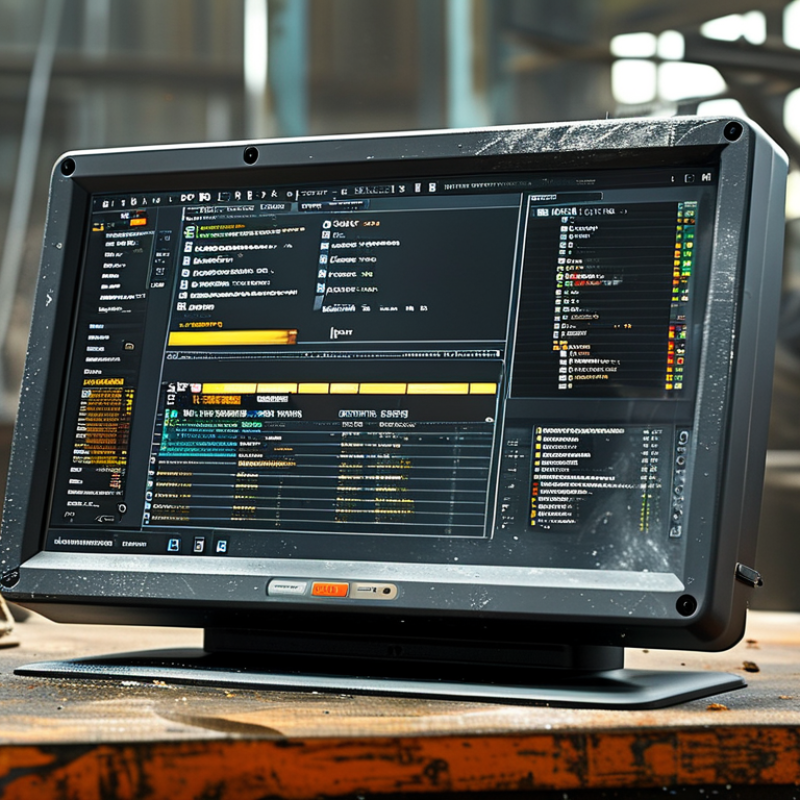
Start with the task, not the screen size. Is the panel PC controlling a machine, displaying recipes, recording inspections, or supporting remote maintenance? Each role changes the requirements. A control station may need continuous operation, isolated communication, and fast recovery. An operator terminal may prioritize touch accuracy and glove-friendly input. Deloitte’s 2023 Smart Manufacturing and Operations Survey found that 86% of manufacturing leaders expect smart manufacturing to become a major competitiveness driver within five years. The panel PC is often the operator’s daily gateway to that transformation.
Then map the physical environment in detail. Record ambient temperature, humidity, dust, vibration, washdown exposure, sunlight, and available mounting space. IEC 60529 ingress ratings help classify protection against solids and water, but an IP rating does not solve every problem. It does not measure shock, chemical exposure, or thermal cycling. That detail matters. A dusty packaging line and a refrigerated warehouse need different enclosures, displays, and storage choices. Fortune Business Insights valued the global industrial PC market at approximately USD 5.33 billion in 2023, reflecting growing deployment across demanding workplaces. Still, higher specifications are not automatically better. Oversizing can increase heat, cost, and maintenance difficulty. A careful site survey, including one uncomfortable question—what failure looks like at 3 a.m.—often reveals the right balance.
How to Choose the Right Industrial Panel PC?
Determine the Required Hardware Performance and Expansion Options
In machine-control projects, I size the processor for the workload, not the specification sheet. A touchscreen dashboard needs less power than vision inspection or database logging. List every application, service, and communication task before choosing the CPU. Leave practical headroom for future software updates. Too much unused performance increases cost and heat.
Memory deserves equal attention. Eight gigabytes may suit a simple interface, while analytics or multiple services require more. Use industrial storage with suitable endurance and protection against sudden power loss. Check operating temperature, vibration exposure, and cooling limits at the installation site. A fanless design can reduce maintenance, but it may throttle under sustained loads. That detail is easy to miss.
Expansion planning prevents expensive redesigns. Count current ports, then identify likely additions, such as serial interfaces, extra Ethernet, USB, digital I/O, or field communication modules. Confirm whether internal slots support the required interface standard and physical card size. Review access space around connectors. Tight cabinets make replacement frustrating. I learned this during commissioning. A spare port would have saved hours.
Display resolution, brightness, and glove operation also affect performance choices. Test the panel with the actual software, cables, and peripherals. Bench tests rarely reproduce cabinet heat. Document measured startup time, memory usage, and processor load. Then challenge your assumptions. Industrial projects change, sometimes quietly. A modular expansion design offers useful flexibility, but unused slots are not automatically valuable.
| Application Profile | Typical Workload | Recommended Processor Class | Memory Requirement | Storage Configuration | Display and Graphics | Network Interfaces | Expansion Options | Environmental Requirements | Selection Priority |
|---|---|---|---|---|---|---|---|---|---|
| Basic Machine HMI | Operator interface, process visualization, alarm monitoring, recipe entry, and light data logging. | Low-power dual-core or quad-core processor, typically up to approximately 15 W TDP. | 4–8 GB industrial-grade RAM. | 128–256 GB industrial SSD; removable storage may be useful for maintenance and image recovery. | 10–15 inch projected-capacitive or resistive touchscreen; Full HD is generally sufficient for standard HMI screens. | 2 × Gigabit Ethernet, 2–4 × USB, optional serial communication. | Usually no internal expansion required; optional isolated RS-232/422/485 or digital I/O. | Fanless operation, 0–50 °C or wider operating temperature range, front-panel protection of at least IP65 where washdown is possible. | Reliability, low power consumption, touchscreen usability, and easy panel mounting. |
| PLC and SCADA Station | SCADA visualization, historian software, multiple device connections, remote monitoring, and moderate database activity. | Energy-efficient quad-core or six-core processor, generally in the 15–35 W class. | 8–16 GB industrial-grade RAM; 16 GB is preferable for heavier SCADA applications. | 256–512 GB SSD; consider a second drive or RAID support for higher data availability. | 15–21.5 inch Full HD touchscreen; dual-display support is useful for control-room layouts. | 2–4 × Gigabit Ethernet, USB 3.x, isolated serial ports, and optional fiber or fieldbus connectivity. | PCIe or Mini PCIe expansion for additional Ethernet, serial, CAN, fieldbus, or I/O modules. | Fanless or controlled-airflow design, vibration resistance, wide-temperature support, and protected front bezel. | I/O connectivity, storage endurance, multi-display capability, and long-term serviceability. |
| Machine Vision and Inspection | Image acquisition, defect detection, barcode or OCR processing, measurement, and real-time camera communication. | High-performance six-core or eight-core processor; dedicated GPU or accelerator may be required for complex vision algorithms. | 16–32 GB RAM, depending on image resolution, camera count, and application software. | 512 GB–1 TB high-endurance SSD; separate operating-system and image-data storage can improve maintenance. | 15–21.5 inch Full HD or higher-resolution display; verify support for the required GPU outputs. | Multiple Gigabit or 2.5 Gigabit Ethernet ports; USB 3.x, PoE, Camera Link, CoaXPress, or other camera interfaces as required. | PCIe expansion is strongly recommended for frame grabbers, vision accelerators, additional network cards, or specialized I/O. | Stable thermal design, vibration resistance, dust protection, and sufficient cooling under continuous peak load. | Processing throughput, camera bandwidth, GPU or frame-grabber compatibility, and thermal headroom. |
| Edge Computing and Data Analytics | Local data aggregation, protocol conversion, dashboard hosting, containerized applications, analytics, and predictive-maintenance workloads. | Modern quad-core to twelve-core processor with virtualization support; select a higher-performance class for concurrent workloads. | 16–64 GB RAM, with ECC memory preferred when supported and data integrity is critical. | 512 GB–2 TB industrial SSD; NVMe storage is suitable for high-throughput local data processing. | 15–24 inch Full HD or higher-resolution display; display output may be secondary to compute performance. | Multiple independent Ethernet ports, optional 2.5/10 Gigabit Ethernet, Wi-Fi or cellular connectivity where permitted. | PCIe, M.2, Mini PCIe, or modular I/O for wireless, storage, accelerator, CAN, serial, and fieldbus functions. | Wide-temperature operation, secure boot support, TPM, watchdog timer, fan monitoring, and remote management features. | Compute capacity, memory scalability, cybersecurity, remote administration, and storage expandability. |
| Heavy Industrial Control | Large control screens, multiple automation protocols, production data collection, maintenance software, and continuous operation. | Six-core to twelve-core industrial processor with sufficient sustained-load performance. | 16–32 GB RAM; allow spare capacity for future software and operating-system updates. | 512 GB–1 TB SSD with health monitoring; RAID or redundant storage may be appropriate for critical systems. | 19–24 inch touchscreen, Full HD or higher; wide viewing angles and high brightness may be required. | 4 or more Ethernet ports, isolated serial interfaces, USB 3.x, and optional fiber or industrial network adapters. | Multiple PCIe or Mini PCIe slots for fieldbus, motion-control, I/O, storage, and network expansion. | Extended temperature range, high shock and vibration tolerance, conformal protection where appropriate, and IP-rated front panel. | Continuous-duty stability, industrial communications, redundancy, maintainability, and lifecycle support. |
| Outdoor or Mobile Equipment | Vehicle control, outdoor kiosks, portable machinery, remote monitoring, and operation in changing ambient conditions. | Low-power quad-core to eight-core processor selected according to sunlight, battery, and thermal constraints. | 8–32 GB RAM, depending on application complexity and required local services. | 256 GB–1 TB SSD with strong shock resistance and power-loss protection where available. | 10–21.5 inch high-brightness display, optical bonding, anti-glare treatment, and touch support suitable for gloves if required. | Gigabit Ethernet, USB, isolated serial, GNSS, Wi-Fi, or cellular communication based on deployment conditions. | Compact M.2 or Mini PCIe expansion for wireless modules, GNSS, additional storage, or specialized interfaces. | Wide-temperature operation, high-brightness readability, sealed enclosure, resistance to vibration, and appropriate ingress protection. | Visibility, power efficiency, sealing, shock resistance, wireless connectivity, and installation flexibility. |
Choosing an industrial panel PC starts with the display, not the processor. MarketsandMarkets estimates the industrial PC market will grow from USD 5.4 billion in 2023 to USD 7.5 billion by 2028. That growth reflects harsher, more connected production environments. A 15.6-inch screen may suit a clean control room. A larger, high-brightness display works better beside a noisy production line. Check viewing distance, sunlight exposure, and operator eye level before selecting resolution.
Touch technology deserves practical testing. Projected capacitive touch offers clear multi-touch operation, but thick gloves can reduce accuracy. Resistive touch often performs better with gloves, dust, or a pointed stylus. Moisture is another concern. A wet finger can create false inputs. I would test the panel with the exact gloves, cleaning fluid, and work instructions used onsite. On-screen buttons should be large enough for hurried operators. Small controls look efficient, until production speeds up.
The enclosure protects every internal decision. IEC 60529 defines IP ratings; IP65 resists dust ingress and low-pressure water jets, while IP66 adds stronger water-jet protection. The correct rating depends on actual cleaning conditions. Grand View Research identifies factory automation as a major industrial PC application area, where vibration, heat, and continuous operation affect reliability. Aluminum can improve heat dissipation, but it may not solve internal hotspots. Fanless designs reduce dust movement, yet they can retain heat. A perfect specification rarely exists. Thermal tests, cable checks, and several weeks of operator feedback reveal what the datasheet misses.
An industrial panel PC must communicate reliably with machines, sensors, and control networks. Check the available Ethernet, serial, USB, and fieldbus interfaces before comparing processor speed. A factory line may need two independent network ports. That detail matters.
Operating system choice affects security, maintenance, and software integration. A locked-down industrial version can reduce unwanted changes during production. A familiar desktop system may simplify training, but it can require more updates. Confirm driver support, remote access, and compatibility with existing control software. Test the actual application, not only the specification sheet.
Industrial compatibility goes beyond a metal enclosure. Examine the operating temperature range, vibration resistance, screen brightness, and ingress protection rating. In a dusty workshop, sealed connectors and a glove-friendly touchscreen are practical advantages. Check mounting space carefully, especially around cooling vents and cable bends.
I once treated display brightness as a minor feature. That assumption was wrong during a night shift, when reflections made alarms difficult to read.
Ask for evidence from environmental tests and long-duration operation. Review service procedures, replacement availability, and firmware management. A powerful computer may still fail if technicians cannot access it safely. Leave room for future ports and software changes. Industrial needs evolve. Specification tables rarely show that.
Choosing the right industrial panel PC requires more than comparing processor speed and screen size. Lifecycle support matters when equipment must operate for seven or ten years. Ask for guaranteed component availability, repair timelines, firmware policies, and a documented product roadmap. VDC Research reports that long-lived embedded systems depend heavily on supplier continuity and lifecycle planning, not only hardware performance.
Reliability should be tested under real plant conditions. Check thermal limits, vibration resistance, fan design, storage endurance, and touch performance with gloves. Uptime Institute’s 2024 Annual Outage Analysis found that 54% of reported outages created costs above $100,000. A failed panel PC may stop a line, delay shipments, or corrupt production records. That risk deserves a stronger warranty and spare-unit plan. Sometimes, the cheapest unit is expensive.
Certification must match the installation environment. Review IEC 61010-1, relevant EMC requirements under the IEC 61000 series, and ingress protection ratings under IEC 60529. Do not treat a certificate as universal approval. A dusty washdown area needs different protection from a climate-controlled control room. Deloitte’s 2023 Smart Manufacturing survey found that 86% of executives view smart manufacturing as important to future competitiveness. Still, digital upgrades can expose weak maintenance planning. Calculate total cost across energy use, downtime, service labor, software support, replacement stock, and integration. I would also request a sample unit and test it beside the actual machine. Specifications can look convincing. Factory reality is less polite.